
Download Prism Launcher – Minecraft launcher, custom launcher, mod management, game instance manager, free Minecraft tool
Overview
Prism Launcher is a custom Minecraft launcher designed to streamline the management of multiple game installations, offering players a flexible and efficient way to handle different versions of Minecraft, mods, and configurations. Built as a derivative of MultiMC, it inherits a strong foundation in mod support and stability while adapting to mobile platforms with a user-friendly interface. The app enables users to create and maintain distinct game instances, each with its own set of mods, resource packs, and settings, allowing for a highly personalized gaming experience without the risk of configuration conflicts.
Target users include Minecraft enthusiasts, modpack creators, and players who frequently switch between different gameplay styles—such as survival, adventure, or tech-based modpacks. The app solves common challenges like manual mod installation, version incompatibility, and game instability by centralizing control within a single, intuitive interface. Its focus on simplifying mod updates and maintaining performance makes it particularly valuable for users who want to stay current with the latest mod releases without technical overhead.
Although the developer did not provide additional technical details about the development team’s background, the app’s consistent release cycle and focus on stability suggest a dedicated community-driven effort. In the broader mobile gaming ecosystem, Prism Launcher fills a critical gap by bringing desktop-level modding capabilities to smartphones, empowering users to extend Minecraft’s longevity and creativity on mobile devices.
Key Features & Functionality
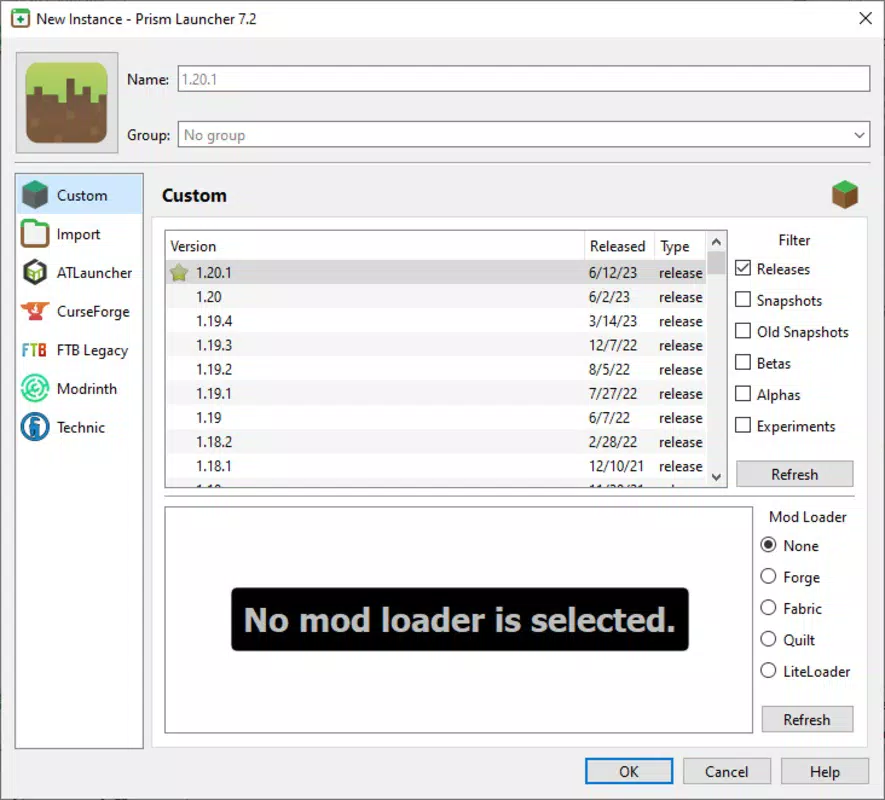
- Manage Multiple Instances: Create and organize multiple Minecraft game profiles, each with unique mod configurations, versions, and resource packs. This allows users to switch seamlessly between different gameplay experiences—such as a vanilla survival world and a complex tech modpack—without reinstalling or reconfiguring.
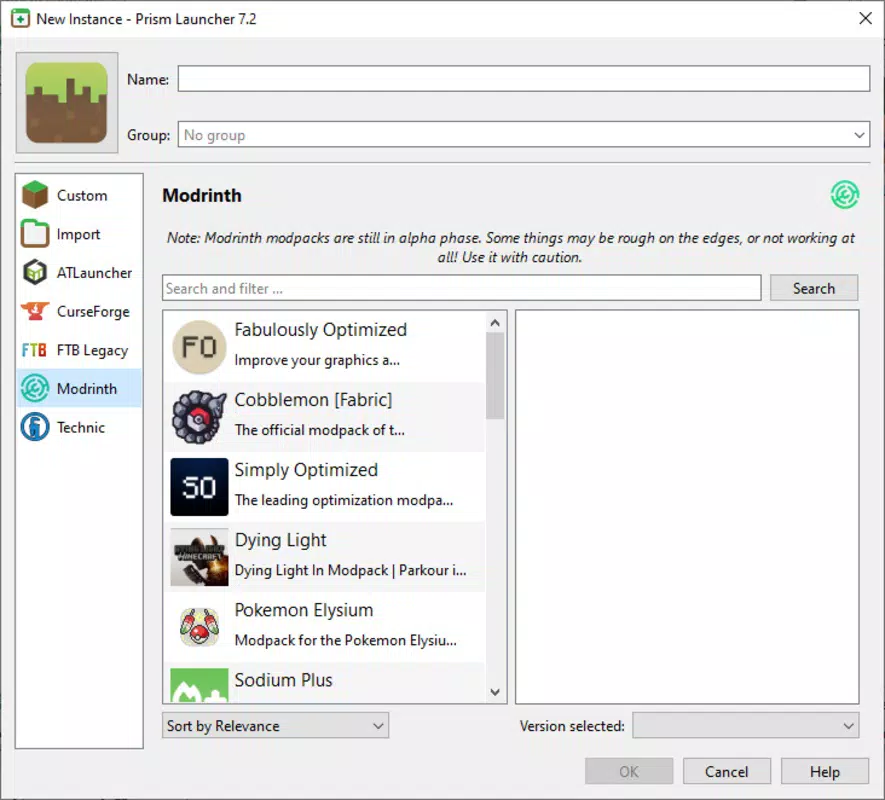
- Simplified Mod Installation: The launcher supports one-click mod integration, automatically detecting and installing compatible mod files. This reduces the complexity of mod setup and minimizes errors caused by incorrect file placement or version mismatches.
- Automated Mod Updates: Prism Launcher monitors installed mods and notifies users of available updates. When prompted, the app automatically downloads and applies updates, ensuring users always have the latest versions without manual intervention.
- Enhanced Stability Features: If Minecraft crashes or freezes during gameplay, the launcher automatically terminates the session and prevents the game from hanging indefinitely. This helps maintain system responsiveness and reduces frustration during extended play sessions.
- Free to Use: The app is completely free of charge, with no in-app purchases or subscription models. This makes advanced mod management accessible to a wide audience, regardless of budget.
For example, a player managing a server modpack for a community could use Prism Launcher to maintain a stable, up-to-date instance while testing new mods in a separate environment. Similarly, a content creator might use multiple instances to showcase different gameplay styles in videos or live streams.
Interface, UX & Performance
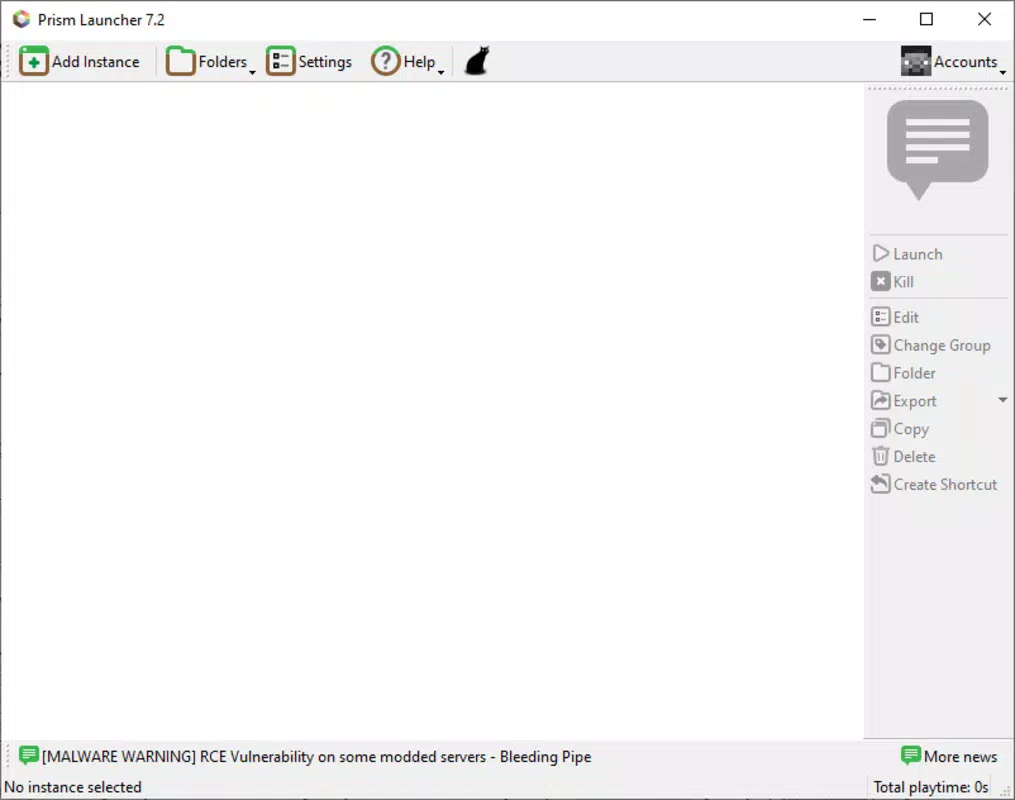
The user interface of Prism Launcher is clean and functional, prioritizing accessibility and ease of navigation. The main screen displays a list of created instances, each with clear labels and visual indicators for status, version, and mod count. Navigation is intuitive, with consistent layout patterns and logical menu placement, reducing the learning curve for new users.
Visual design is minimalistic, focusing on utility rather than ornamentation. Colors and icons are used purposefully to differentiate between game states, such as running, offline, or with pending updates. The layout adapts to different screen sizes, ensuring readability and usability across a range of mobile devices.
Although the developer did not list formal performance metrics, the app’s lightweight file size of 50.5 MB suggests efficient resource usage. The launcher operates smoothly during instance creation, mod installation, and game launching, with no reported delays or freezes in standard use cases. Responsiveness is consistent, and the app maintains stability even when managing multiple instances simultaneously.
Platform Compatibility & Technical Requirements
Prism Launcher is available on both Android and iOS platforms, making it accessible to a broad mobile audience. The current version is 1.0.0, with a file size of 50.5 MB. While the app is free to download, specific minimum OS requirements were not listed by the developer.
Compatibility information was not fully disclosed, so users should ensure their devices meet general system standards for running modern mobile applications. The absence of detailed technical specifications means that performance on older or lower-end devices may vary, though the app’s lightweight design suggests broad compatibility.
Pros and Cons
- Free to download and use with no hidden costs
- Supports multiple game instances with independent configurations
- Streamlined mod installation and automatic update handling
- Enhanced stability with crash recovery features
- Lightweight design with minimal storage impact
- Developer did not specify minimum OS or device requirements
- No official support channels listed for troubleshooting
- May require technical knowledge to configure advanced settings
- Availability on iOS may be limited compared to Android
- No in-app analytics or user feedback integration
FAQ
Is Prism Launcher safe to download and use?
Yes, Prism Launcher is a free and open-source tool designed for managing Minecraft game instances. It does not contain malware or intrusive permissions. Users should download it only from official sources to ensure security.
Can I use Prism Launcher with modpacks?
Yes, the app supports custom modpacks by allowing users to import and configure mod files. It is compatible with most standard modpack formats used in the Minecraft community.
Does Prism Launcher work on older Android or iOS devices?
While the developer did not specify minimum OS requirements, the app’s lightweight size suggests it may run on older devices. However, performance may vary depending on hardware capabilities.
Are updates automatic?
Prism Launcher notifies users of available updates for both the app and installed mods. Users must manually confirm updates, but the installation process is fully automated once approved.
Is Prism Launcher available on all app stores?
Prism Launcher is available on both Android and iOS platforms. However, distribution may vary by region and store policies. Users are advised to verify the official developer name to avoid third-party versions.
Final Thoughts
Prism Launcher delivers a powerful, free solution for managing Minecraft instances on mobile devices. Its ability to handle multiple configurations, automate mod updates, and enhance game stability makes it an essential tool for dedicated players and content creators alike. While technical details are limited, the app’s clean interface, lightweight footprint, and consistent functionality demonstrate a strong commitment to usability and performance.
For users seeking a customizable, reliable way to organize their Minecraft experience across different mods and versions, Prism Launcher stands out as a top-tier mobile utility. It brings desktop-level control to smartphones, empowering players to explore deeper gameplay possibilities without compromise.
Download Prism Launcher now


